What is the best remote access software for business?
These days the office is no longer just a building. It's your home office, a coffee shop, or even a seat on a train. For companies to stay ahead, they need a way to keep their teams connected to their data and tools, no matter where they are.
This is where remote access software for business becomes a game-changer. But with so many options out there, how do you choose the one that actually works without blowing your budget?
Enter AnyViewer. It is designed to be fast, secure, and, most importantly, simple. Let's look at why AnyViewer is the perfect remote access software for business for your business growth.
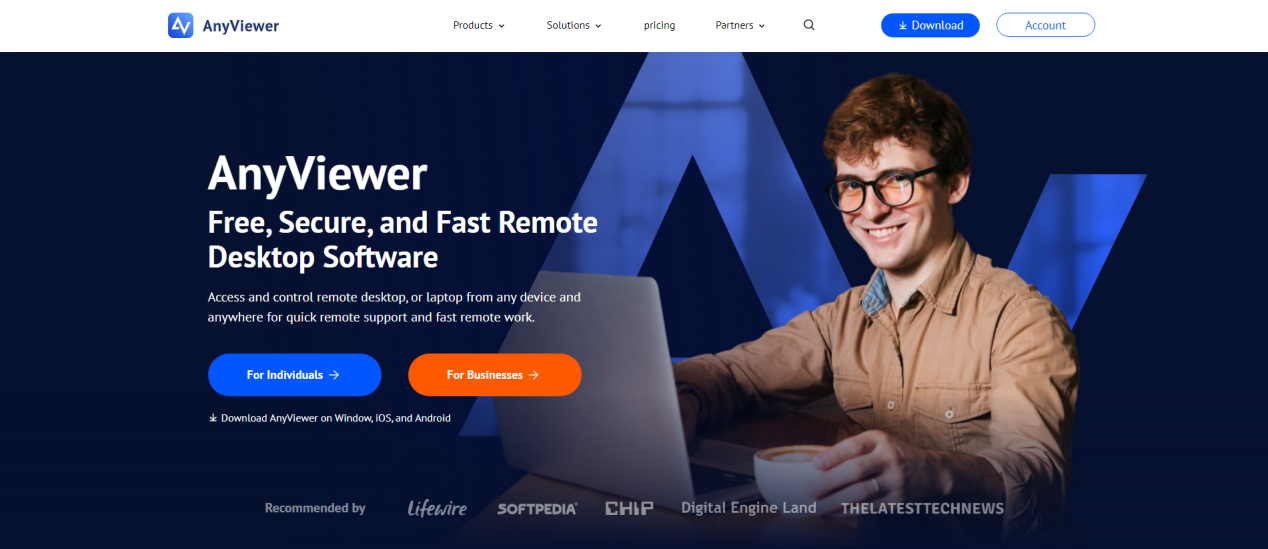
Why is AnyViewer the smartest choice for remote access software for business?
Discover how AnyViewer makes remote work simple, fast, and secure for teams of all sizes.
1. Speed that keeps up with your business
Nothing kills productivity like a lagging screen. When you are trying to help a client or finish a report, you can't afford to wait for your remote desktop to "catch up."
AnyViewer serves as high-performance remote desktop software for business, using an advanced connection protocol that ensures high speed and low latency. Whether you are transferring large files or running complex software, the experience feels like you are sitting right in front of the remote computer. This responsiveness is vital for:
- IT Support: Providing remote IT support services and solving technical issues quickly to minimize downtime.
- Designers: Working on resource-heavy visual tasks without delays.
- Managers: Accessing real-time data from the office server instantly.
- Global teams: Easily control overseas computers with fast and stable connection.
2. Features designed for advanced business needs
In addition to high-speed connections, AnyViewer offers professional tools that make managing a business much easier. As a comprehensive remote desktop software for enterprise needs, these features are built to save you time and help your team work better together:
- Unattended Remote Access: You can connect to your office computer even when no one is there to click "accept." This is perfect for working late or checking a server over the weekend.
- High-Speed File Transfer: Quickly send documents, photos, or large folders between computers. It's a fast and secure way to share files without needing email or USB drives.
- Mass Deployment (MSI): If you have many computers, you don't have to install the software one by one. You can set it up on all company devices at once, saving your IT team hours of work.
- Unlimited Simultaneous Sessions: Your tech support team can help multiple people at the same time. They can open several remote windows at once so no one has to wait in line for help.
- Screen Walls: This lets you see multiple remote screens on one monitor at the same time. It is a great way to keep an eye on important tasks or monitor several workstations at a glance.
- Create Groups for Computers: Stay organized by grouping your devices. You can label them by department, like "Sales" or "Accounting," so you can find the right computer in seconds.
3. Security you can trust
When you use remote access software for business, security isn't just a "nice-to-have" feature; it's a requirement. You are handling sensitive company data, and any breach could be a disaster.
AnyViewer protects your sessions with Elliptic Curve Cryptography (ECC) 256-bit encryption. This is an industry-leading security standard that keeps your data safe from prying eyes. Additionally, it offers:
- Two-Factor Authentication (2FA): An extra layer of protection to ensure only authorized users can log in.
- Privacy Mode: With one click, you can black out the screen of the remote PC and disable its keyboard/mouse. This ensures that no one at the physical location can see what you are doing.
- Role-Based Permission Control: Assign specific access rights to sub-accounts, limiting what each user can do and reducing the risk of misuse.
- Block and Allowlist Controls: Decide exactly which devices or accounts are permitted to connect, or block unwanted access altogether.
4. Setting up is a breeze
One of the biggest complaints about remote desktop software for enterprise use is that it's too hard to set up. You don't want to spend hours reading manuals or training your staff.
AnyViewer is built for humans, not just IT experts. The interface is clean, modern, and intuitive. You can set up unattended access in minutes. This allows your team to log into their work computers even if there is no one at the office to "accept" the connection. It's as simple as installing the app, logging in, and clicking "One-click connect."
Conclusion
Is AnyViewer right for you? If you are a small to medium-sized business looking for reliable, secure, and cost-effective remote access software for business, the answer is yes.
You don't need a massive IT budget or a degree in computer science to get started. You just need a tool that works as hard as you do. AnyViewer takes the stress out of remote work, so you can focus on what really matters: growing your business.
Ready to see how easy remote access can be? You don't have to take our word for it, you can experience it for yourself.
FAQ on AnyViewer Remote Access Software
What is AnyViewer and how does it help businesses?
AnyViewer is a remote access software solution designed to facilitate seamless connectivity for businesses. It offers a high-speed, low-latency experience for remote desktop access, enabling professionals to manage tasks efficiently from anywhere. With robust security measures like ECC 256-bit encryption, it ensures data safety, making it an ideal tool for businesses aiming to improve remote work reliability.
How does AnyViewer ensure secure remote access for businesses?
AnyViewer employs industry-leading security features such as Elliptic Curve Cryptography (ECC) 256-bit encryption to protect sensitive data during remote sessions. Additional protections like two-factor authentication (2FA) and Privacy Mode provide multi-layered security, ensuring that only authorized users have access while maintaining the confidentiality of remote activities.
Can businesses manage multiple users with AnyViewer?
Yes, AnyViewer excels in multi-user management with features like Role-Based Permission Control, which helps assign specific access rights to users. Team productivity further benefits from tools such as unlimited simultaneous sessions, allowing multiple support operations to occur alongside efficient role management, ensuring organized workflows.
How easy is it to set up AnyViewer?
Setting up AnyViewer is user-friendly and quick, catering to both IT experts and regular users. The software's intuitive interface ensures that even newcomers can configure it in just a few steps. Features like unattended remote access simplify setup, allowing businesses to get started without unnecessary delays.
What features make AnyViewer the top choice for businesses?
AnyViewer stands out with its suite of features tailored for business needs, including high-speed file transfers, screen walls for real-time monitoring, and the ability to group devices by departments. Its specialized tools improve workflow efficiency, making it a preferred choice for modern enterprises looking to scale their remote operations.
How does AnyViewer optimize remote team collaboration?
AnyViewer's advanced functionalities, such as screen-sharing and unlimited remote sessions, foster better team collaboration. These tools enable IT teams, designers, and managers to share information and resources in real-time, ensuring that projects progress smoothly regardless of location.
Is AnyViewer scalable for small and medium-sized businesses?
Yes, AnyViewer is highly scalable, making it an excellent choice for small to medium-sized enterprises. With cost-effective options and features like Mass Deployment (MSI), it aligns with the growth demands of businesses, enabling seamless remote access solutions across expanding teams.
Why is speed important in remote access software, and how does AnyViewer deliver it?
In remote access, speed directly impacts productivity, essential for operations like real-time data retrieval or technical support. AnyViewer employs an advanced connection protocol to offer high-speed, low-latency remote desktop services, ensuring that businesses can perform tasks with minimal disruptions.
Are there additional tools that can optimize remote work along with AnyViewer?
To complement AnyViewer's capabilities, tools mentioned in our article on the Top 10 Must-Have Tools for Entrepreneurs can empower businesses. These resources provide enhanced digital infrastructure, aligning strongly with the needs of remote teams and entrepreneurs.
How does AnyViewer protect sensitive work data during remote sessions?
AnyViewer employs cutting-edge features like Privacy Mode, which blackens the remote screen and disables the keyboard/mouse to secure ongoing work. Implementing block and allowlist controls also restricts unauthorized device connections, ensuring that sensitive data remains protected.
About the Author
Violetta Bonenkamp, also known as MeanCEO, is an experienced startup founder with an impressive educational background including an MBA and four other higher education degrees. She has over 20 years of work experience across multiple countries, including 5 years as a solopreneur and serial entrepreneur. Throughout her startup experience she has applied for multiple startup grants at the EU level, in the Netherlands and Malta, and her startups received quite a few of those. She’s been living, studying and working in many countries around the globe and her extensive multicultural experience has influenced her immensely.